


What Is an Order in Trading? Types, Definitions, and Execution Explained
Every single trade you will ever place starts with an order. Getting clear on what an order actually is, the types available to you, and how they get executed is the foundation everything else sits on.
This guide breaks down every core order type in plain language, shows you when each one earns its place, and walks you through what happens behind the scenes from the moment you hit “buy” or “sell.” And if you want a broader starting point first, check out our beginner’s guide to trading fundamentals to build context alongside this article.
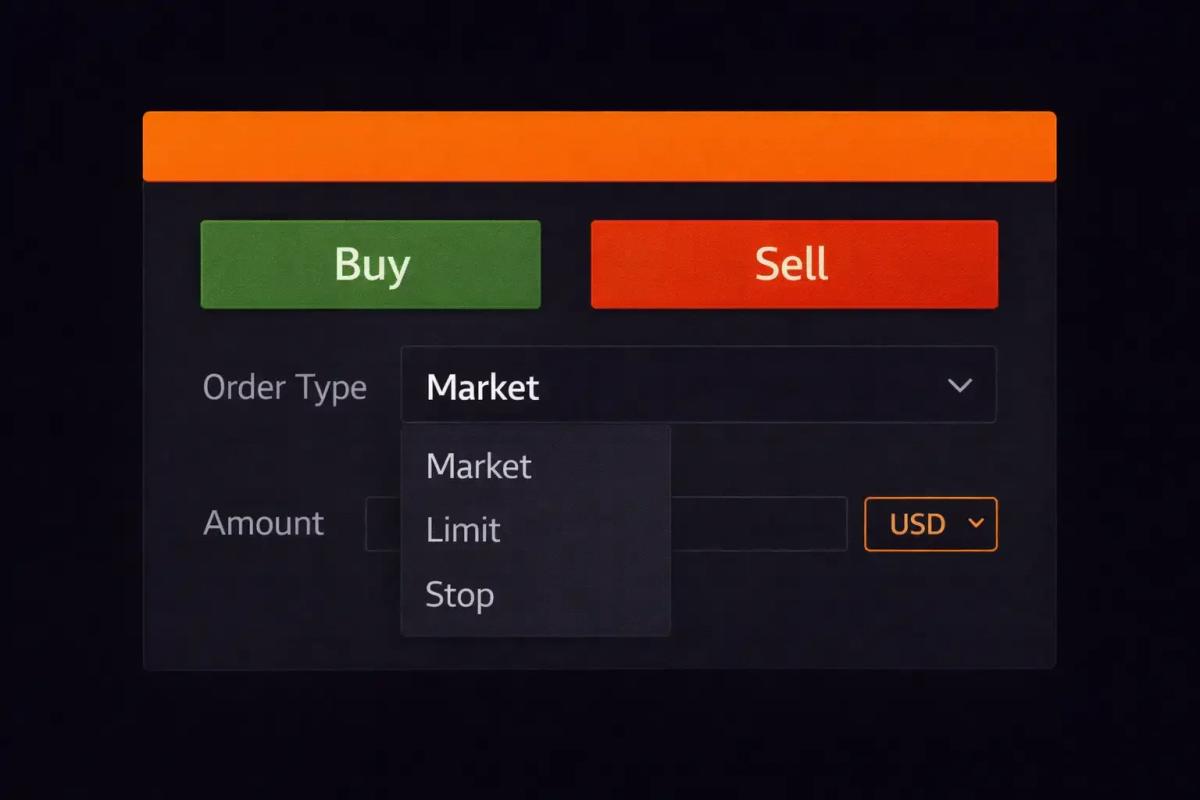
What Is a Trading Order?
A trading order is your instruction to a broker or trading platform to buy or sell a financial asset on your behalf. Think of it like placing a food order at a restaurant: you specify what you want, how you want it prepared, and under what conditions. The kitchen (the market) then works to fill your request based on what’s available.
Every order contains a few core pieces of information:
- Direction – whether you’re buying or selling
- Asset – what you want to trade (a stock, currency pair, commodity, etc.)
- Quantity – how much of the asset you want to buy or sell
- Order type – the rules governing when and how your order gets executed
- Price conditions (for some order types) – the specific price at which you want the trade to happen
The order type is where things get interesting, and where most beginners feel genuinely lost. Different order types hand you different levels of control over the price you pay, the speed of execution, and the conditions under which your trade goes through.
How Orders Connect You to the Market
When you place an order, it travels through your broker, who routes it to a market, exchange, or liquidity provider where it gets matched with a counterparty: someone willing to take the other side of your trade. In liquid markets, this entire process can happen in milliseconds. Set specific price conditions, though, and it can take considerably longer.
The order type you choose dictates the rules of that journey. Some orders say “get me in right now at whatever price is available.” Others say “only fill this if the price reaches a level I’m comfortable with.” Knowing the difference is what separates confident traders from those clicking buttons and hoping for the best.
So let’s start with the most straightforward order type of all.
Market Orders
A market order is the simplest instruction you can give: buy or sell this asset right now, at the best available price. You’re telling the market, “I want in (or out), and I want it done immediately.”
It’s the equivalent of walking into a store and paying whatever the price tag says.
When to Use a Market Order
Market orders are your go-to when speed matters more than the exact price you receive. Common scenarios include:
- Exiting a losing trade quickly – the market is moving against you and you need out now, not in five minutes
- Entering a fast-moving market – you spot an opportunity and don’t want to miss it while trying to dial in the perfect price
- Trading highly liquid assets – in major forex pairs or large-cap stocks, the gap between the displayed price and your fill price is usually negligible
If you’re trading something like EUR/USD or Apple stock during regular hours, a market order will typically fill at or very close to the price on your screen.
Risks of Market Orders
With market orders, you surrender control over the exact price. In a fast-moving or volatile market, the price can shift between the moment you click “buy” and the moment your order fills. This gap is called slippage, and it can work for or against you.
In thin markets or during major news events, slippage can be significant. You might see $50.00 on your screen but get filled at $50.15, or even further away. Market orders also carry risk during price gaps, those jumps from one price to another without trading at the levels in between (common at the market open or after weekends in forex).
So if price precision matters more to you than speed, there’s a better tool for the job.
Limit Orders
A limit order lets you set the exact price at which you’re willing to buy or sell. Instead of accepting whatever the market offers right now, you draw a line: “I’ll only trade if the price reaches this level.”
Think of it like bidding at an auction. You set your maximum, and if the item goes for less than or equal to your bid, you win. If the price never reaches your level, you simply don’t trade.
Buy Limit vs. Sell Limit
The direction of your limit order matters:
- Buy limit – placed below the current market price. You believe the price will drop to a certain level before bouncing back up, and you want to buy at that lower price. If a stock is trading at $100 and you think it will dip to $95, you place a buy limit at $95.
- Sell limit – placed above the current market price. You’re holding an asset and want to sell it at a higher price. If you bought that stock at $100 and want to take profit at $110, you set a sell limit at $110.
The key principle: a limit order will only execute at your specified price or better. A buy limit fills at your price or lower. A sell limit fills at your price or higher. You’ll never receive a worse price than what you set. The trade-off, though, is that your order might never fill if the market doesn’t reach your level.
When to Use a Limit Order
Limit orders shine in several situations:
- When you have a specific entry or exit price in mind and you’re willing to be patient
- In choppy or ranging markets where price bounces between levels with some predictability
- When you want to avoid slippage on larger orders or less liquid assets
- For setting profit targets on existing positions
The downside is the waiting. The market might come within a hair of your limit price and reverse, leaving you on the sidelines watching. But for traders who value precision over immediacy, limit orders are indispensable.
Now, what if you want an order that only activates when the market hits a certain price, but then behaves differently from a limit? That’s where stop orders come in.
Stop Orders
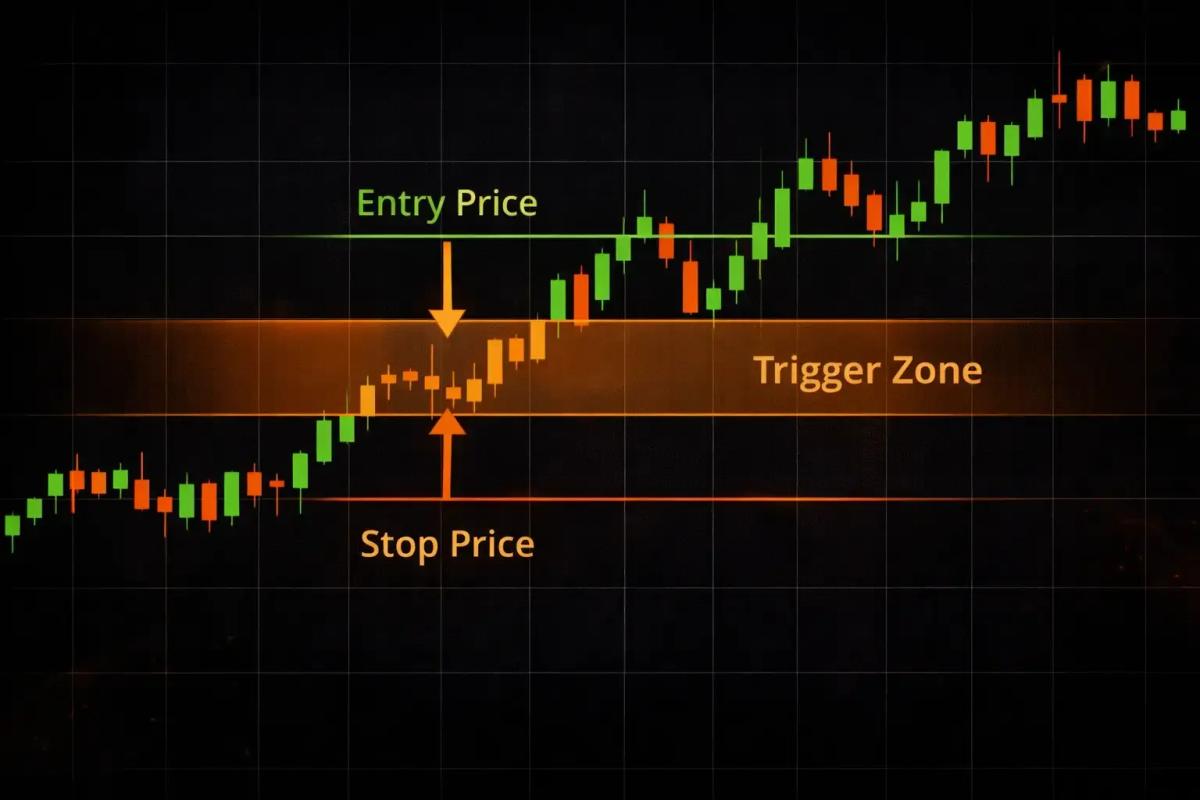
Stop orders are where many beginners start to feel confused, but the core idea is more intuitive than it looks. A stop order sits dormant until the market hits a specific trigger price (called the stop price). Once that price is touched, the stop order “wakes up” and becomes active.
What happens after activation depends on the type of stop order you’re using.
Stop-Loss Orders
A stop-loss is the most common type of stop order, and arguably the most important order type for protecting your capital. You place one to automatically close a trade if the price moves against you by a certain amount, capping your loss on that position.
Say you buy a stock at $50 and place a stop-loss at $47. If the price drops to $47, your stop-loss triggers and a market order is sent to sell your position. The goal is to put a ceiling on your downside.
Here’s the critical nuance: a stop-loss does not guarantee you’ll exit at exactly $47. Once triggered, it becomes a market order, so you’ll get the best available price at that moment. In fast markets or during gaps, your actual fill could be worse than $47. This distinction catches many beginners off guard.
Stop-Entry Orders
Stop-entry orders (sometimes just called “stop orders” for entry) work in the opposite direction from stop-losses. Instead of closing a losing trade, you use one to open a new position when the market pushes past a certain price level.
Why would you want to buy at a higher price or sell at a lower one? Because price movement through a key level often signals momentum. If a stock is trading at $50 and you believe a break above $52 confirms an uptrend, you’d place a buy stop at $52. Your order only triggers if price reaches that level, letting you ride the wave of momentum.
Stop-Limit Orders
A stop-limit order combines the trigger mechanism of a stop with the price control of a limit. You set two prices: a stop price (the trigger) and a limit price (the maximum or minimum you’ll accept).
When the stop price is reached, instead of firing off a market order, the system places a limit order at your specified limit price. This gives you tighter control over your fill, but introduces a new risk: if the market blows past your limit price too quickly, your order might not fill at all.
This is the classic trade-off, and it echoes across nearly every order type: control versus certainty. The more control you want over price, the less guaranteed your execution becomes.
With that principle in mind, let’s look at how all these pieces fit together under one umbrella concept.
Pending Orders Explained
If market orders are about “right now,” pending orders are about “when the time is right.” A pending order is any order that’s been placed but hasn’t executed yet because the market hasn’t met your specified conditions. It sits on the books, waiting.
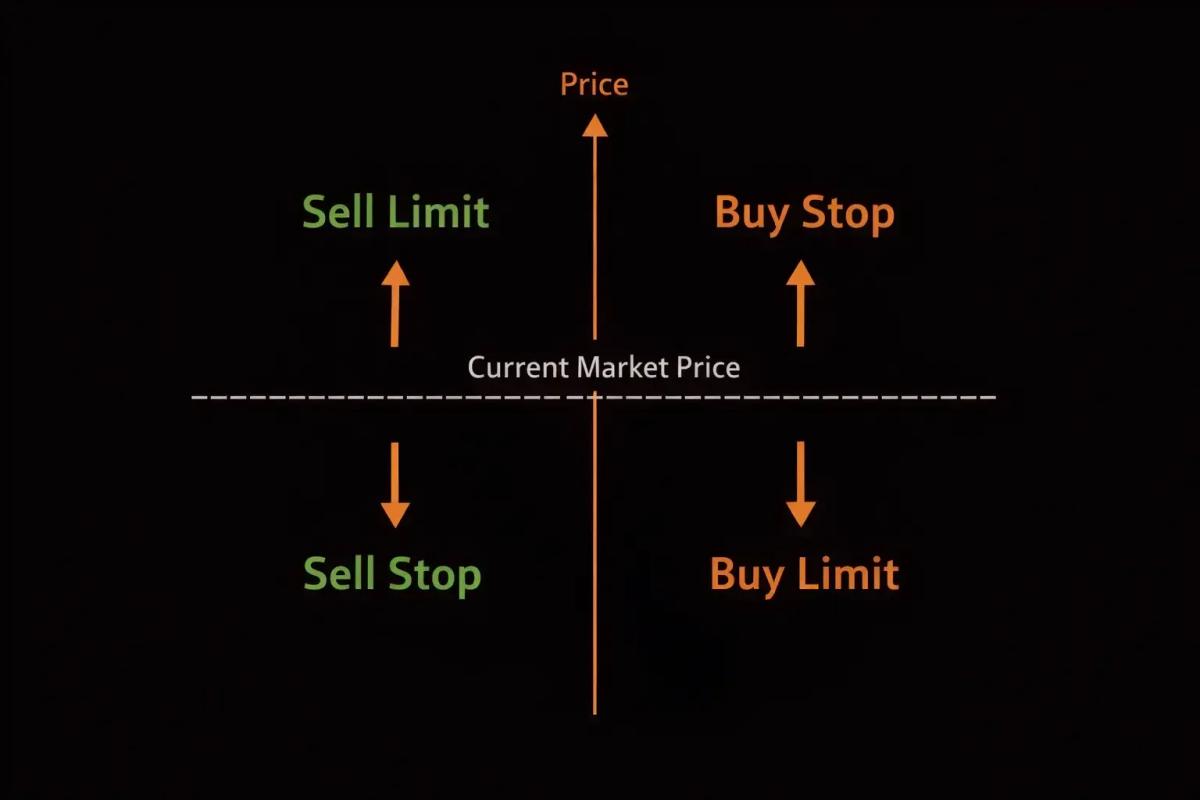
Four main types of pending orders exist, defined by two factors: whether you’re buying or selling, and whether your order sits above or below the current price.
Buy Stop and Buy Limit
- Buy stop – placed above the current price. You want to buy only if the price rises to a certain level (usually to catch upward momentum or confirm a breakout). Once the price hits your stop level, the order activates.
- Buy limit – placed below the current price. You want to buy at a discount, expecting the price to dip before rising. Your order fills only at your set price or better.
Sell Stop and Sell Limit
- Sell stop – placed below the current price. Commonly used as a stop-loss to exit a long position, or as a short entry to catch downward momentum.
- Sell limit – placed above the current price. You want to sell (or take profit) at a higher price, waiting for the market to reach your target.
A quick reference to keep it straight:
Once you’re comfortable with these four, you’ve covered the vast majority of order types you’ll use day to day. But a few more tools are worth knowing about.
Advanced Order Types
These order types layer in automation and flexibility that can save you time and protect positions more effectively.
Trailing Stop Orders
A trailing stop is a dynamic version of a stop-loss. Instead of sitting at a fixed price, it follows the market as it moves in your favor, maintaining a set distance from the highest (or lowest) price reached.
Picture this: you buy a stock at $50 and set a trailing stop with a $3 distance. If the stock climbs to $60, your trailing stop automatically moves up to $57. Should the price then reverse and hit $57, your stop triggers and you exit. But if the stock keeps climbing to $70, your stop trails right along to $67.
The appeal is that you lock in profits as the market moves your way without needing to manually adjust anything. The risk, on the other hand, is that a sudden but temporary pullback can trip your trailing stop and pull you out of a trade that would have recovered.
OCO (One-Cancels-the-Other) Orders
An OCO order lets you place two orders simultaneously, with the rule that when one executes, the other automatically cancels. This is particularly useful when you hold a position and want both a profit target and a stop-loss active at the same time.
Say you’re holding a stock at $50. You place an OCO with a sell limit at $55 (your profit target) and a sell stop at $47 (your stop-loss). If the price hits $55 first, you bank your profit and the stop-loss cancels. If it drops to $47 first, you exit with a controlled loss and the limit order cancels.
OCO orders eliminate the need to manually cancel one order after the other fills, a real advantage when you can’t sit in front of a screen all day.
GTC, GTD, and Time-Based Orders
Every order you place has a lifespan, and you control how long it stays active using time-in-force settings:
- GTC (Good Till Canceled) – your order stays active until it fills or you manually cancel it. On some platforms, GTC orders may expire after a set period (like 30 or 90 days).
- GTD (Good Till Date) – your order remains active until a specific date you choose. If it hasn’t filled by then, it cancels automatically.
- IOC (Immediate or Cancel) – the order must fill immediately, either fully or partially. Whatever portion doesn’t fill instantly is canceled.
- FOK (Fill or Kill) – the order must fill completely and immediately, or it’s canceled entirely. No partial fills allowed.
For most beginners, GTC is the default you’ll reach for most often. IOC and FOK tend to matter more for larger orders or faster-paced trading where partial fills create problems.
Understanding when your orders expire is just as important as understanding what they do. But what actually happens in the gap between placing your order and seeing it filled?
How Order Execution Works
Every time you place a trade, a chain of events fires in the background, often completing in under a second. Understanding this process helps you see why fills aren’t always instant, why prices sometimes differ from what you expected, and why execution quality varies between brokers and market conditions.
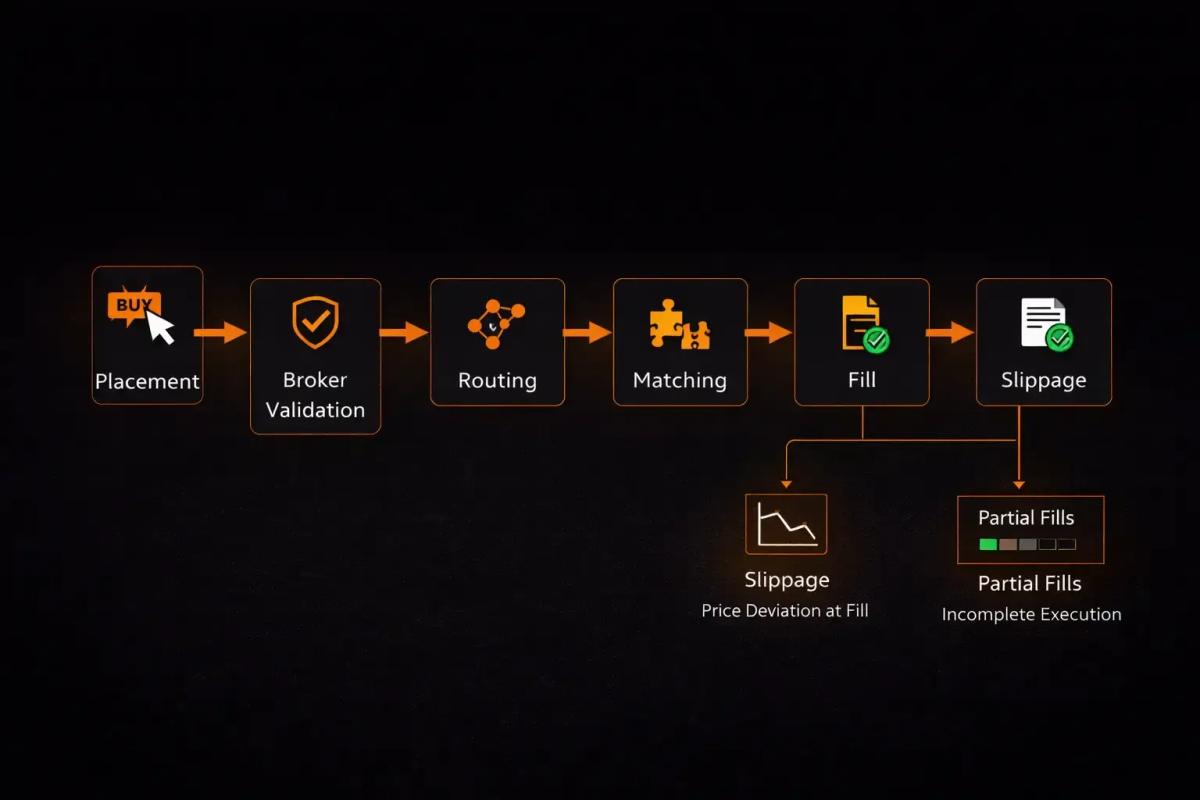
The Journey of an Order (Placement to Fill)
Here’s what happens when you click “buy” or “sell”:
- Order placement – you submit your order through your trading platform.
- Broker receives the order – your broker’s system validates it (checking your account balance, margin requirements, etc.).
- Order routing – the broker routes your order to the appropriate market, exchange, or liquidity provider. Where it goes depends on the asset class, your broker’s routing practices, and the order type.
- Matching – the market’s matching engine pairs your order with a counterparty. For a buy order, it finds a seller willing to trade at a compatible price (and vice versa).
- Fill – the trade executes. You receive a fill confirmation showing the exact price, quantity, and time of execution.
If you’re using a platform like MT4 or MT5, the process looks seamless on your end, but behind the scenes these steps fire in rapid sequence.
Slippage and Partial Fills
Slippage occurs when your fill price differs from the price you expected. This is most common with market orders and stop orders (which become market orders once triggered). Slippage is driven by market movement during the tiny gap between order submission and execution, and it tends to widen during:
- High-volatility events (earnings releases, economic data drops, geopolitical news)
- Low-liquidity periods (overnight sessions, exotic currency pairs, small-cap stocks)
- Price gaps (weekends in forex, overnight gaps in stocks)
Partial fills happen when there isn’t enough volume at your desired price to complete your entire order at once. If you place a limit order to buy 1,000 shares at $50 and only 600 shares are available at that price, you’ll receive a partial fill of 600 shares. The remaining 400 stay as an open order until more volume appears or you cancel.
Factors That Affect Execution Speed and Quality
Several variables influence how quickly and accurately your orders fill:
- Liquidity – more liquid markets (major forex pairs, large-cap stocks) generally deliver faster, tighter fills
- Volatility – higher volatility means wider spreads and greater slippage potential
- Order type – market orders prioritize speed; limit orders prioritize price
- Broker infrastructure – your broker’s technology, server locations, and relationships with liquidity providers all play a role
- Time of day – orders placed during peak trading hours typically get better execution than those placed during off-hours
The more you trade, the more instinctive your feel for these factors becomes. But as a beginner, simply knowing they exist puts you a step ahead.
Order Management Best Practices for Beginners
Knowing the order types is one thing. Using them wisely is another. Here are practical principles to guide your early trading decisions:
- Start with market and limit orders. These two cover the vast majority of situations you’ll face. Get comfortable with them before layering in stops and advanced types.
- Always use a stop-loss. It won’t shield you perfectly in every scenario (remember gap risk), but it’s the single most important habit for managing downside exposure. No serious trader operates without one.
- Match your order type to your intention. If speed matters, use a market order. If price matters, use a limit. If you want conditional entry or exit, reach for a stop or pending order. Let the situation guide your choice, not habit.
- Be aware of slippage before you trade. Check the spread, consider the time of day, and factor in current volatility. If you’re about to trade during a major news release, expect wider fills.
- Don’t over-complicate early on. OCO orders and trailing stops are powerful, but they add complexity. Build the fundamentals first, then layer on advanced tools as your confidence grows.
- Review your fills. After each trade, compare where you intended to enter or exit versus where you actually got filled. This builds execution awareness over time.
- Practice on a demo account. Most trading platforms offer demo accounts where you can place all order types with virtual money. Use them until the mechanics feel like second nature.
Disclaimer: This article is for educational purposes only and does not constitute financial advice. Trading involves significant risk, and you should carefully consider your financial situation and risk tolerance before placing any trades.
Frequently Asked Questions
What is the difference between a stop order and a limit order?
A limit order sets a specific price at which you want to buy or sell, and it will only fill at that price or better. A stop order sets a trigger price that, once reached, activates either a market order or a limit order. The key distinction is that a limit order controls your fill price directly, while a stop order controls when your order becomes active.
Can a stop-loss order guarantee that I won't lose more than a certain amount?
No. A stop-loss reduces your risk by automatically triggering a sell (or buy, for short positions) when the price hits your stop level, but it does not guarantee a specific exit price. In fast-moving markets or during price gaps, your actual fill can be worse than your stop price.
Which order type is best for beginners?
Market orders and limit orders are the strongest starting point. Market orders are ideal when you need immediate execution, while limit orders give you price control. Once you're comfortable with both, adding stop-loss orders to protect your positions is the natural next step.
What is slippage, and can I avoid it entirely?
Slippage is the difference between the price you expected and the price your order actually filled at. You can't eliminate it entirely, but you can reduce it by trading liquid assets, steering clear of major news events, using limit orders when price precision matters, and trading during peak market hours when volumes are highest.
What is the difference between pending orders and market orders?
A market order executes immediately at the current available price. A pending order is a conditional instruction that only activates when the market reaches a price level you specify. Pending orders include buy limits, sell limits, buy stops, and sell stops, and they remain inactive until their conditions are met.
What happens if my order is only partially filled?
A partial fill means only a portion of your order executed because there wasn't enough volume at your specified price to complete the full trade. The unfilled portion typically remains as an open order (depending on your time-in-force settings). If you used an IOC or FOK order, the unfilled portion would cancel automatically.
Do order types work the same way across forex, stocks, and crypto markets?
The core order types (market, limit, stop) function on the same principles across asset classes. Execution details can differ, though. Forex markets operate 24/5, stocks have defined trading hours with potential overnight gaps, and crypto trades 24/7 but can see extreme volatility and liquidity swings. Always familiarize yourself with how your specific platform handles order types for the asset class you're trading.
About the authors


Related articles
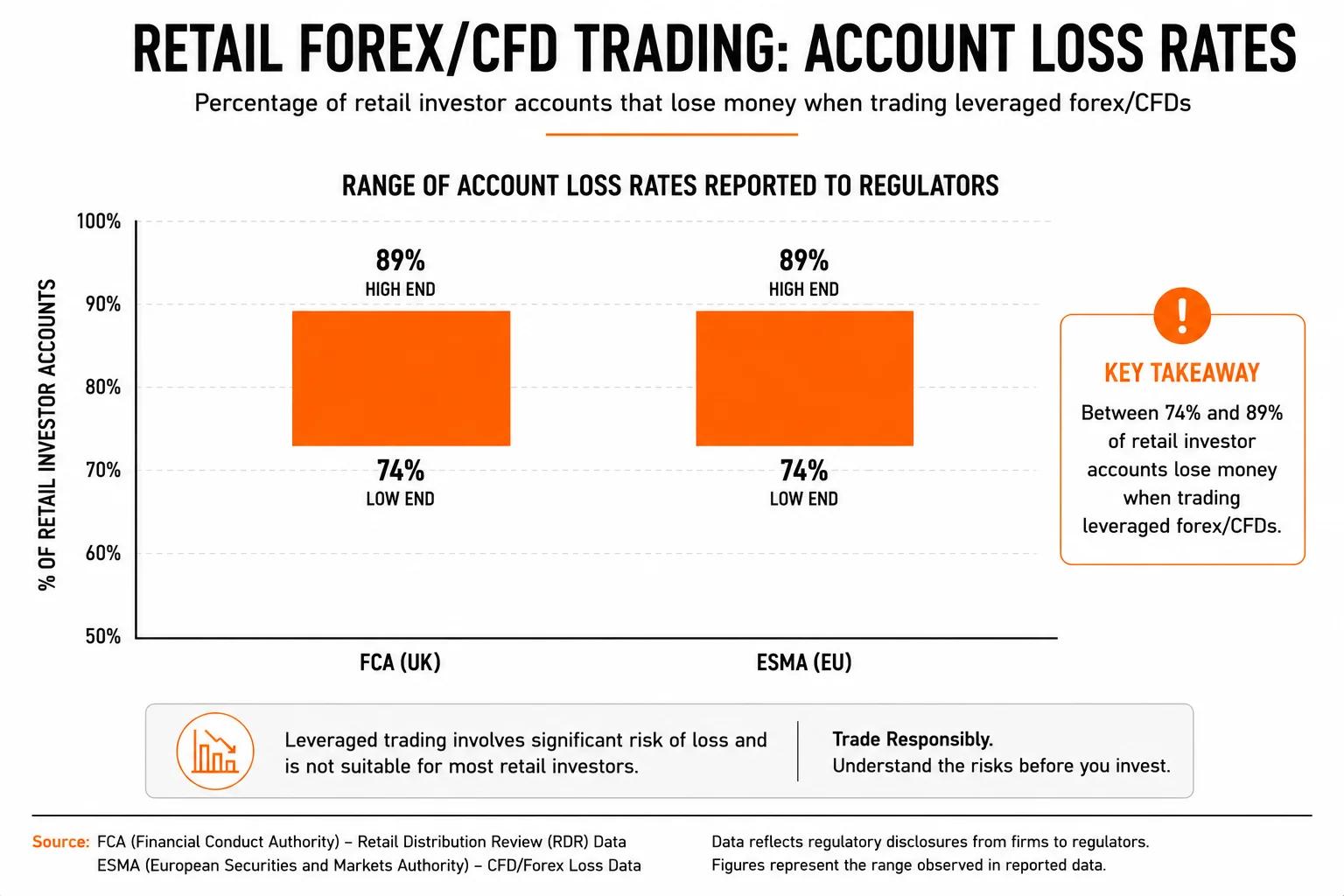
How Much Do Forex Traders Actually Make? A Realistic Income Breakdown
A realistic, data-grounded breakdown of forex trader income across four trader types, from part-time retail to institutional, including what account size actually means for your earnings.
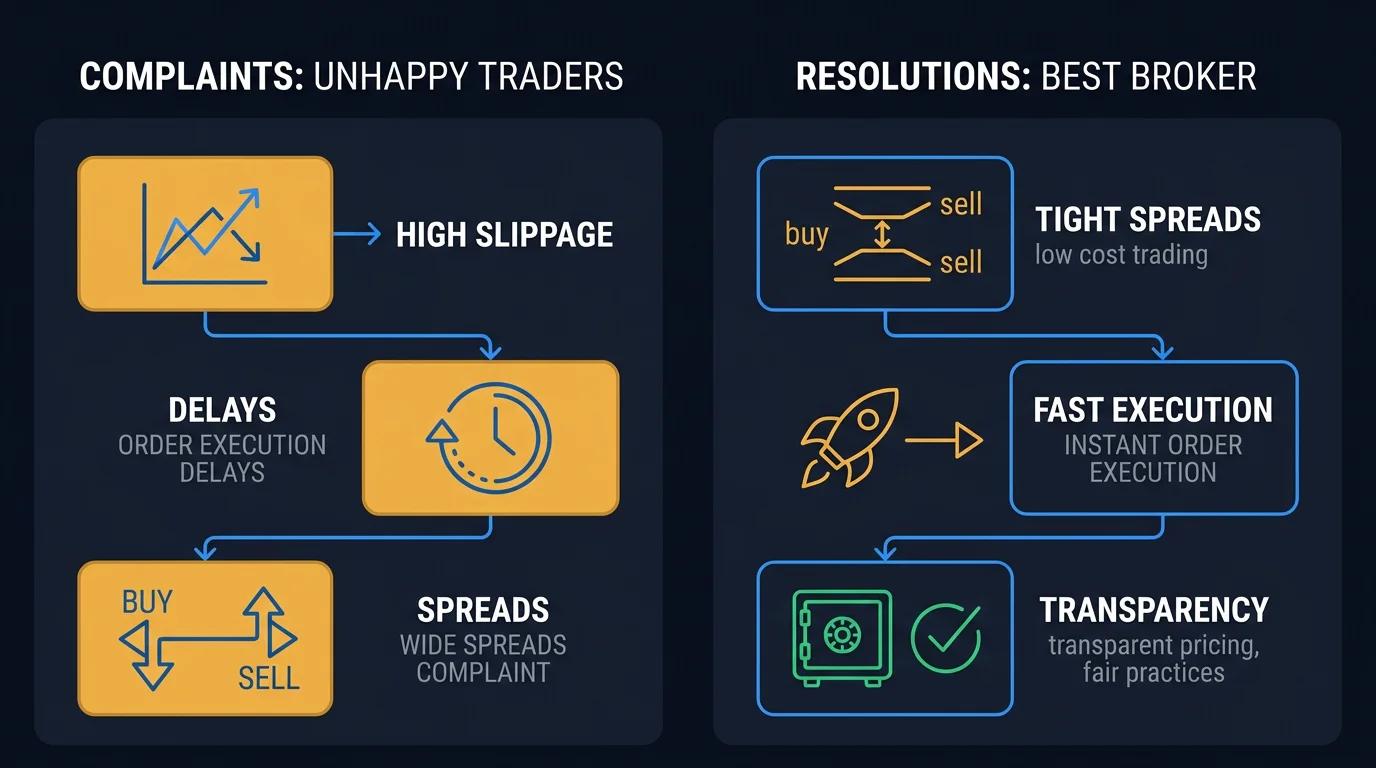
Which Forex Brokers Have the Most Complaints? What Regulatory Records Actually Show
Learn how to check forex broker complaint records across FCA, ASIC, NFA, and CySEC databases; and what those records actually tell you before you open an account.
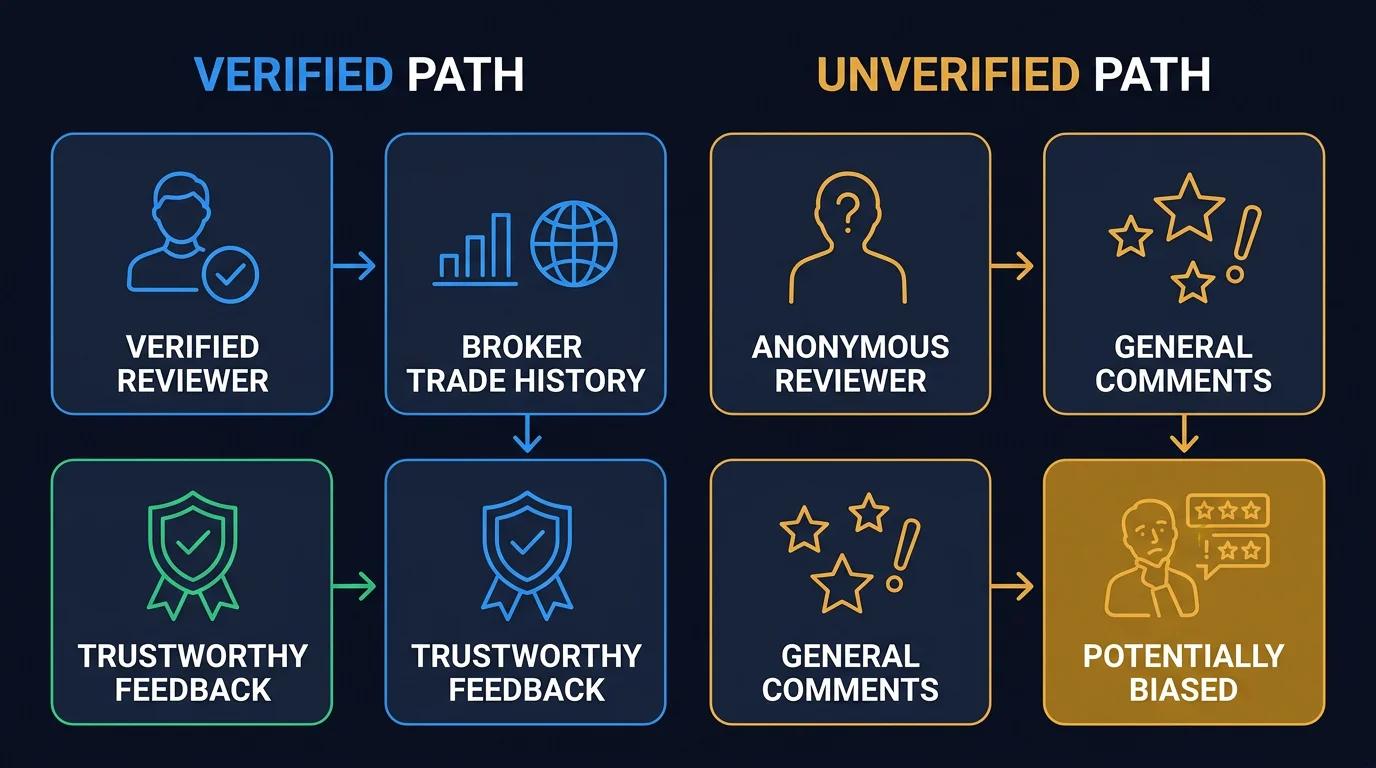
Verified vs Unverified Forex Broker Reviews: What the Difference Actually Means
What "verified" actually means on broker review platforms, how to spot fake review campaigns, and how to build a credibility framework that surfaces genuine signal before you open an account.
0 comments