


The MonkeyTrade broker comparison tool lets you filter, compare, and shortlist forex brokers based on your specific trading profile, all in one place. This guide walks you through exactly how to use it, what each data point means, and how to turn a screen full of broker information into a shortlist you can actually act on.
Quick note before we dive in: MonkeyTrade has affiliate relationships with some brokers featured in the tool. MonkeyTrade may earn a commission if you open an account through a link on this site. This does not affect how brokers are rated or which ones appear. The tool is not financial advice.
Why Choosing a Broker Without Comparing Is a Risk You Don’t Need to Take
Picking a broker based on a quick Google search or a forum recommendation is one of the most common and costly shortcuts new traders make. The broker that worked well for someone else may carry the wrong regulation for your country, run on a platform you’ll find frustrating, or charge fees that cut directly into the strategy you’re planning to run.
Broker selection is a decision with real financial consequences, and it is not one-size-fits-all.
What Most Traders Do Instead (And Why It Fails)
Most traders fall into one of two traps. The first is going with the first recognizable name they see, usually a heavily advertised broker with no particular relevance to their situation. The second is spending hours reading partial reviews, collecting contradictory opinions, and ending up more confused than when they started.
Both approaches skip the step that actually works: a structured comparison. Without one, you’re making a capital decision by feel, which is a habit worth breaking early.
Defining what you need before you filter is the first genuinely useful step in broker selection.
What the MonkeyTrade Comparison Tool Actually Does
The MonkeyTrade broker comparison tool pulls broker data into a side-by-side format so you can evaluate multiple brokers against the same criteria at the same time. Instead of juggling five browser tabs and trying to hold six numbers in your head, you get a single table built for direct comparison.
Which Brokers Are Included
The tool covers a curated selection of brokers that have been reviewed by the MonkeyTrade research team. Not every broker in existence appears here; inclusion requires meeting a baseline standard as part of how MonkeyTrade rates brokers. You can browse the full broker reviews separately if you want a wider starting pool.
What Data Points the Tool Covers
The comparison table includes the data points that matter most to most traders:
- Regulatory status and licensing jurisdiction
- Spreads and fee structures (typical spreads on major pairs)
- Supported trading platforms
- Account types and minimum deposit requirements
- Available instruments and markets
- Overall MonkeyTrade rating
Each data point is drawn from the individual broker reviews, which you can access directly from the comparison results.
Before You Open the Tool: Know Your Trading Profile
Jumping into the comparison tool without knowing what you’re comparing for is like walking into a car dealership without knowing whether you need a hatchback or a van. You’ll have a perfectly functional conversation that leads you somewhere useless.
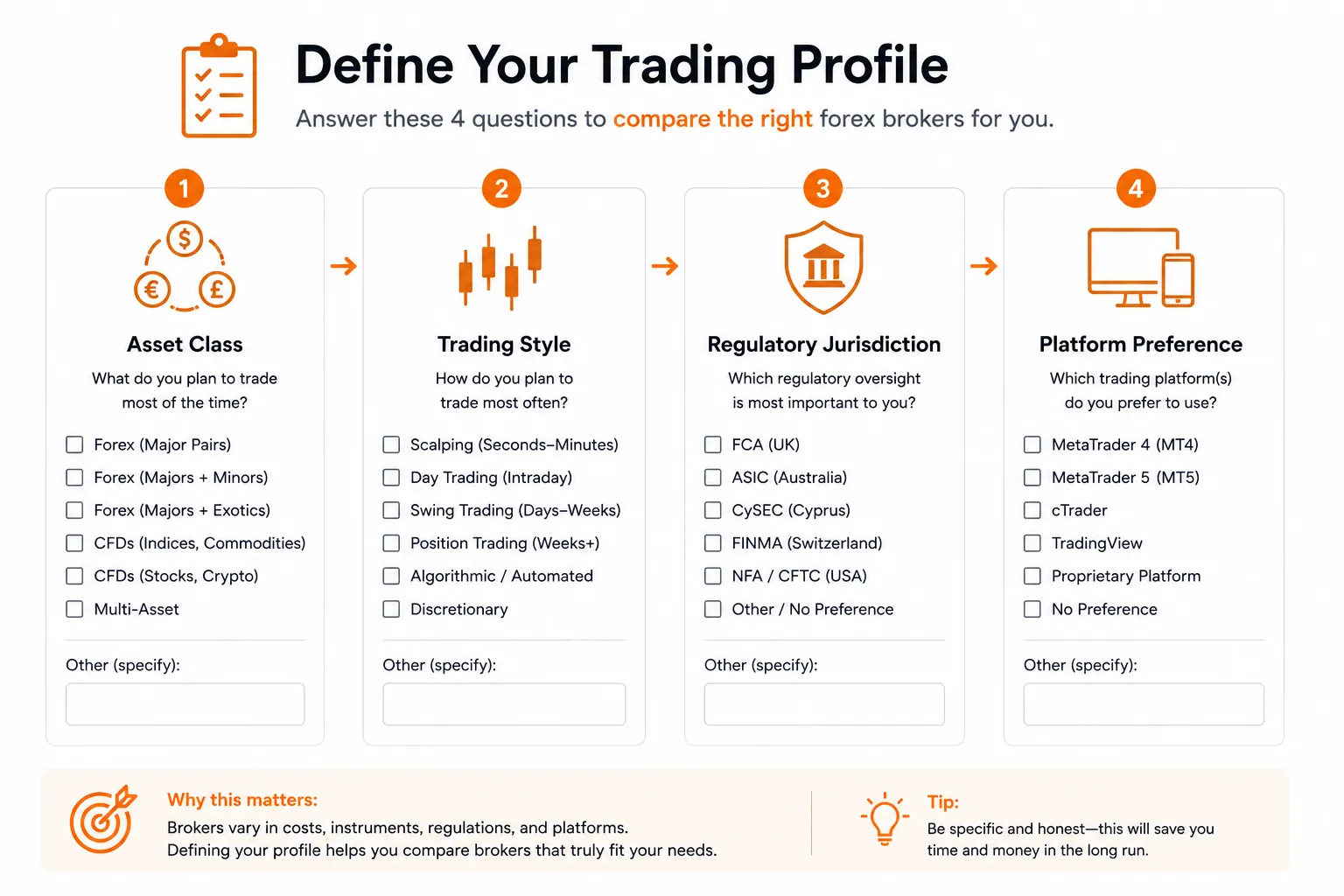
Spend five minutes answering these questions before you start filtering.
Asset Class and Market Focus
The MonkeyTrade broker comparison tool is focused on forex brokers, but many brokers on the platform also support other instruments, including CFDs on indices, commodities, crypto, and shares. If you’re planning to trade anything beyond major forex pairs, note that now. It will affect which brokers make your shortlist.
Trading Style and Frequency
Your trading style has a direct impact on which fee structures work for you and which quietly erode your returns:
- Scalpers and high-frequency traders need the tightest possible spreads and fast execution. Commission-based accounts often work better here than wide spread-based accounts.
- Swing traders and position traders hold trades for days or weeks. Overnight financing costs (swap rates) become relevant. Spreads matter less than they do for scalpers.
- Beginners and lower-frequency traders typically benefit from simpler account structures, strong educational resources, and responsive support.
Know which camp you’re in before you filter.
Regulatory Requirements and Jurisdiction
Where you are located determines which brokers can legally serve you, and under which regulatory framework. A broker regulated by the FCA (UK) or ASIC (Australia) operates under different client protection rules than one regulated in an offshore jurisdiction.
Check whether any broker you’re considering is authorized to operate in your country before anything else. The comparison tool includes regulatory information for each broker. Use it.
Platform Preference
If you already know you want MetaTrader 4, MetaTrader 5, or cTrader, this filter alone can narrow your list quickly. If you don’t have a strong preference yet, the Platform Matchmaker is a useful starting point for figuring out which platform fits your style before you run a broker comparison.
How to Use the Tool: A Step-by-Step Walkthrough
The comparison tool is straightforward once you know what you’re looking for. Here’s the process from start to finish.
Step 1 – Access the Comparison Tool
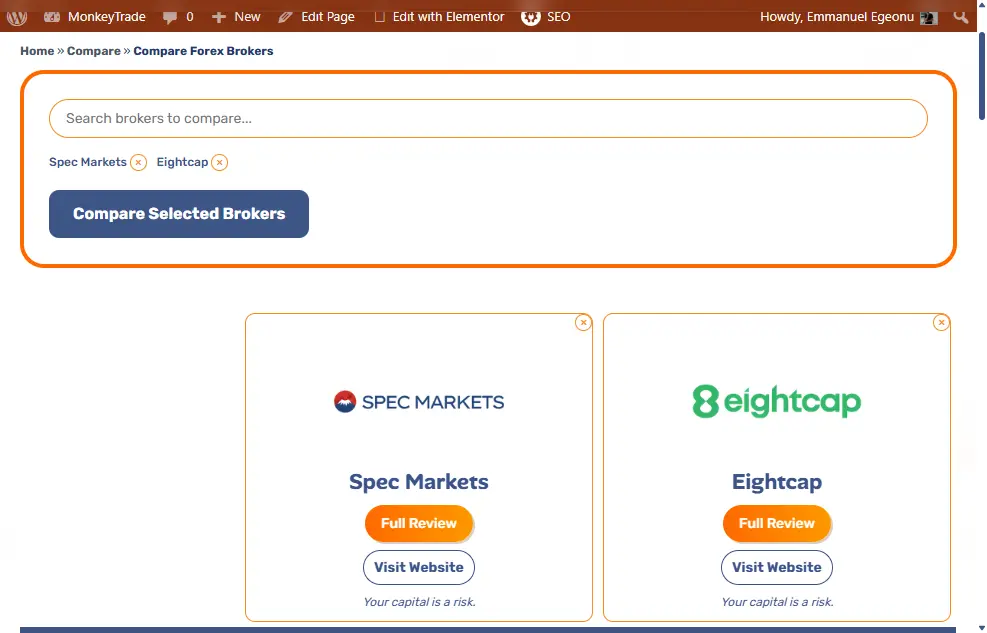
Go to the compare forex brokers page on MonkeyTrade. No account or login is required to use the tool.
Step 2 – Select Brokers to Compare
You can select brokers manually from the list or use the available filters to narrow the pool first. Filtering by regulation, platform, or minimum deposit before selecting brokers saves time and keeps the comparison table manageable.
Aim to compare three to five brokers at a time. Comparing ten simultaneously turns the table into a wall of numbers, and a wall of numbers is not a decision-making tool.
Step 3 – Read the Comparison Table
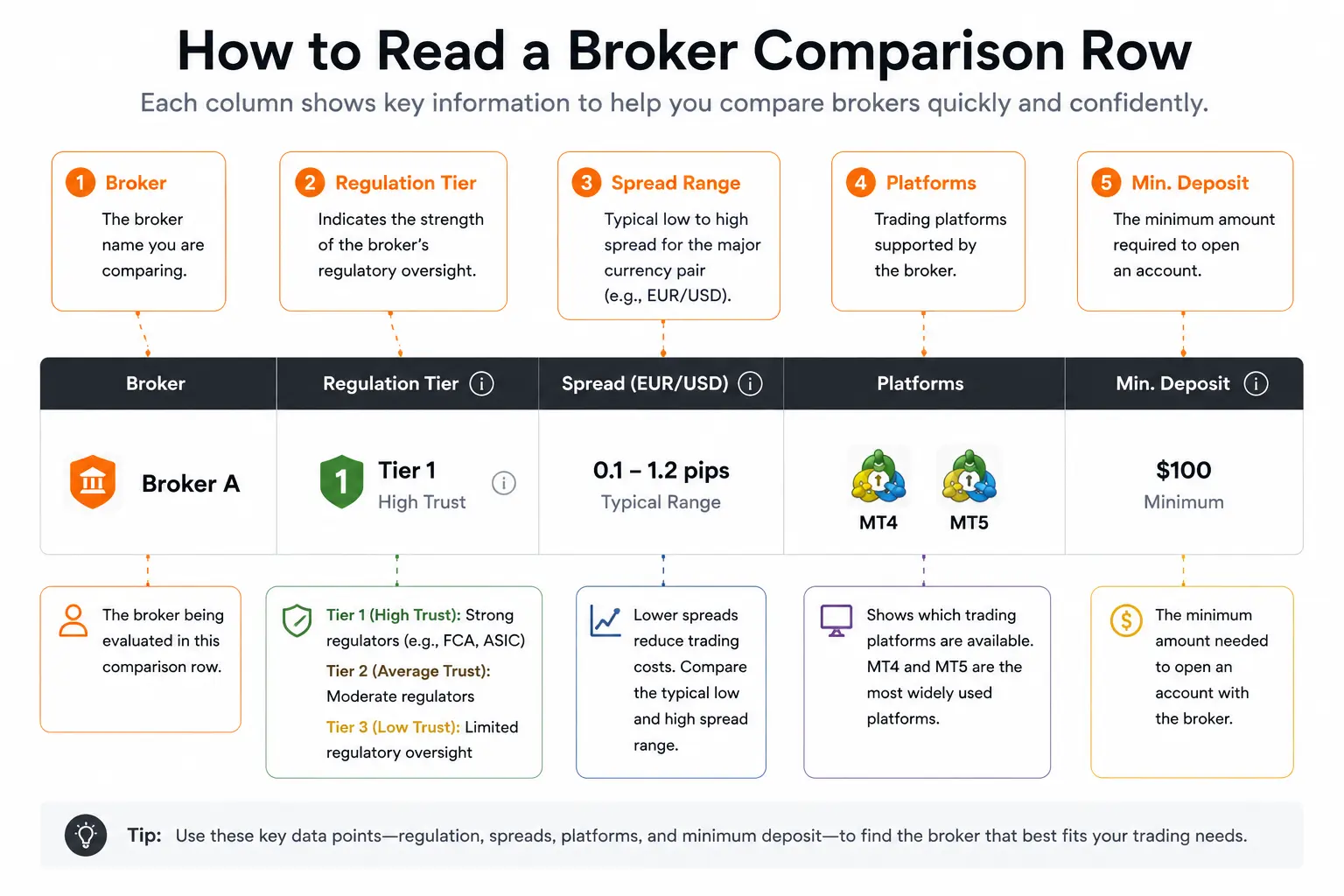
Once you’ve selected your brokers, the comparison table populates with their data side by side. Scan each column vertically rather than reading left to right. You’re looking for meaningful differences across the same data point, not summarizing each broker individually.
A broker that looks strong overall can fall short on a single criterion that matters specifically to you. That’s exactly what the table is designed to surface.
Step 4 – Identify Your Non-Negotiables
Before you start eliminating brokers, be clear on which criteria are deal-breakers and which are preferences:
- Non-negotiables might include regulation in your jurisdiction, a specific platform, a maximum minimum deposit, or a specific instrument you need to trade.
- Preferences might include tighter spreads given two otherwise equal options, or better educational content.
Drop any broker that fails a non-negotiable. A broker that fails on regulation for your country is simply not available to you, regardless of how competitive its spreads look.
Step 5 – Build Your Shortlist
After applying your non-negotiables, you should have a reduced pool. From there, compare the remaining brokers on your preference criteria and produce a shortlist of two to three brokers to investigate further.
Two to three is the right number. One gives you no backup. More than three risks recreating the same analysis paralysis you were trying to escape.
How to Interpret the Key Data Points
The numbers in the comparison table only help you if you know what they mean in practice. Here’s a plain-language breakdown of each major data point.
Spreads and Fees
The spread is the difference between the buy price and the sell price on a trade. It’s effectively the cost of entering a position, and tighter spreads mean lower costs per trade, which compounds quickly if you’re trading frequently.
Keep in mind that spreads shown in the tool are typical or indicative figures. Actual spreads vary in live market conditions, particularly during news events or low-liquidity periods. Do not treat comparison table spreads as guaranteed live trading costs.
Some brokers also charge a separate commission per trade alongside a tighter spread. A broker showing a 0.0 pip spread with a $7 commission round-turn is not necessarily cheaper than one showing a 1.2 pip spread with no commission. It depends entirely on your trade size and frequency. Run the numbers for your actual situation.
Regulation and Licensing
Regulatory status tells you which authority oversees the broker and what protections apply to your funds. Key regulators referenced in the tool include bodies such as the FCA, ASIC, CySEC, and FSCA, among others.
Higher-tier regulation generally means stricter capital requirements, client fund segregation rules, and a clearer complaints process. The comparison table shows each broker’s regulatory status so you can assess this directly. Always verify a broker’s license status independently through the relevant regulator’s public register before opening an account.
Platform Compatibility
The comparison table shows which platforms each broker supports. If a broker doesn’t support the platform you want to use, it doesn’t make your shortlist, full stop.
If you’re undecided on a platform, take note of which platforms appear most consistently across your shortlisted brokers. That overlap often points to a practical starting point.
Account Types and Minimum Deposits
Most brokers offer multiple account types: standard, raw spread, ECN, or similar naming conventions. The comparison table shows the account types available and the minimum deposit required to open one.
Minimum deposits range from zero to several thousand dollars depending on the account type. A high minimum deposit on a premium account tier doesn’t disqualify a broker if they offer a suitable standard account within your budget. Check which account type the displayed minimum deposit applies to.
What to Do After You Have a Shortlist
Getting to a shortlist of two to three brokers is the goal of the comparison tool. What you do next matters just as much.
Read the Full Individual Broker Reviews
Each broker in the comparison results links to a full individual review on MonkeyTrade. Read those reviews before making a final decision. The comparison table surfaces key data points; the full review covers things like customer support quality, deposit and withdrawal experience, platform quirks, and any notable red flags identified during research.
The broker reviews are where the comparison table’s numbers get context. Don’t skip them.
Open a Demo Account Before Committing
A demo account lets you test a broker’s platform, execution speed, and interface before any real money is involved. Most brokers offer one, and most have no time limit. Use it.
Testing a broker on demo is the step that tells you whether the platform actually works for you in practice. Spreads on paper mean nothing if the execution or interface frustrates you from day one.
If you’re also considering funded trading accounts, the compare prop firms tool covers evaluation-based options separately from retail broker comparison.
Frequently Asked Questions


Comments